Making Phone Calls
Making a phone call by entering the number
- Press [G] on the screen.
- Enter the phone number on dial pad.
- Pressing [
 ] button on dial pad or [
 ] button of steering wheel remote control starts the phone call.
|
,Reference |
|
Making Phone Calls via Voice Recognition
- Press [
 ] on the screen.
 - If you hear a beep after the voice guidance, speak the desired frequency.
Making Phone Calls via Speed Dial
Press and hold the speed dial number registered in the phone long on dial pad on dial screen.
- In case of 1 digit speed dial
ex) If it's 8, press and hold 8. - In case of 2 digit speed dial
ex) If it's 12, press 1 shortly and press and hold 2.
|
,Reference |
|
Some mobile phone models may not support this feature. |
Making Phone Calls via Re-Dial
On call waiting screen (No Phone Number is entered), press and hold [ ] on dial screen or [
 ] button of steering wheel remote control to connect to the most recent call number.
|
,Reference |
|


Receiving Phone Calls
- To receive an incoming call, press [Accept] button on the screen or [
 ] button of steering wheel remote control.
|
|
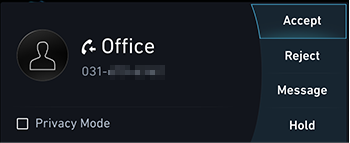
- The call is connected.
Rejecting Phone Calls
- To reject an incoming call, press [Reject] button on the screen or [
 ] button of steering wheel remote control.
|
|
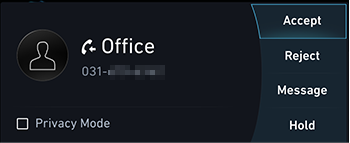
- The phone ring is stopped.
|
,Reference |
|
The phone number is not displayed and/or the rejection feature may not be supported in some models. |
Responding to incoming call with text
- Press [Message] on the screen, respond to incoming calls by text message.
|
|
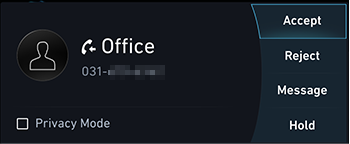
- Select the desired message.
|
|
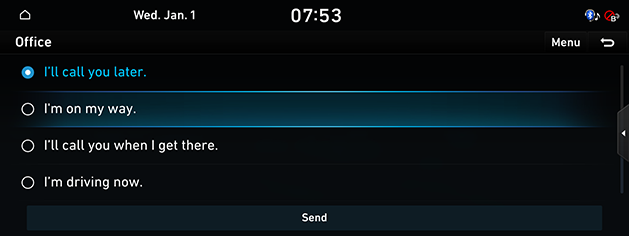
- Press [Send].
|
,Reference |
|
Some mobile phone models may not support this feature. |
Holding Phone Calls
- To hold an incoming call, press [Hold] on the screen.
|
|
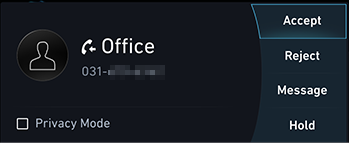
- The call is switched over to hold mode and moves to the previous screen.
Switching Calls to Mobile Phone/Hands-free
Switches a call from Hands-free to Mobile Phone or Vice Versa.
- To switch hands-free during a call, press [Use Handsfree] on the screen.
The hands-free call mode is displayed on the screen.
|
|
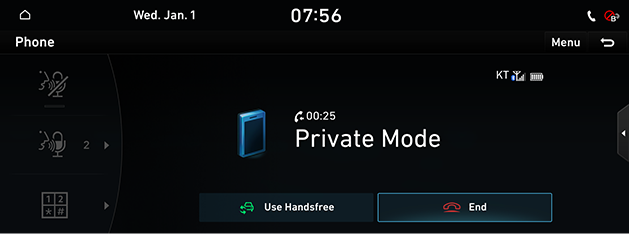
- Press [Use Private] on the screen to switch the call to the mobile phone.
Hanging up Calls
- Press [End] on the screen during a call.
Or press [ ] button of steering wheel remote control.
|
|
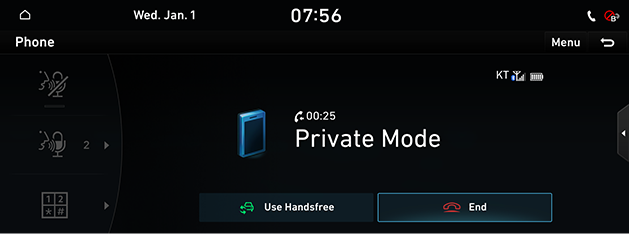
- The phone is hung up.
|
,Reference |
|


Setting device connections
- [Setup] > [Device Connections] > [Device Connections]. The device connections settings screen is displayed.
- Reference "Device connections settings" in system setting for device connections settings.
|
,Reference |
|