Illumination
You can change the screen brightness settings.
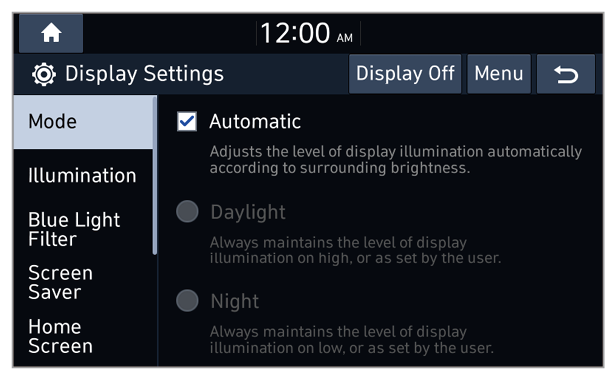
Mode (if equipped)
You can set the screen brightness to be adjusted automatically according to the ambient lighting conditions or set the screen to stay bright or dark continuously.
- Automatic: The screen brightness is adjusted automatically based on the ambient lighting conditions.
- Daylight: The screen brightness stays bright regardless of the ambient lighting conditions.
- Night: The screen brightness stays dark regardless of the ambient lighting conditions.
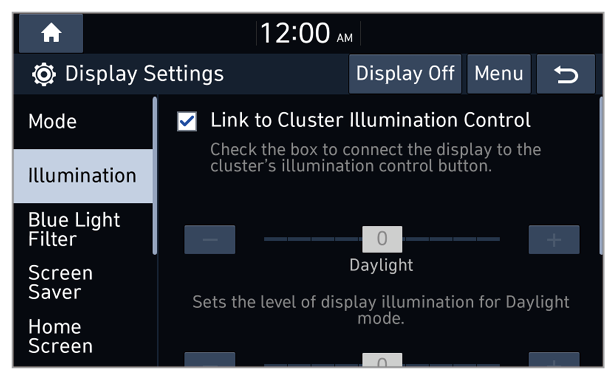
Link to Cluster Illumination Control (if equipped)
You can set the system brightness to be adjusted according to the instrument cluster′s brightness. If this feature is deactivated, you can adjust the brightness for the day or night mode according to your setting in the Mode option.
Daylight
You can adjust the screen brightness for the day mode when you select Daylight in the Mode option.
Night
You can adjust the screen brightness for the night mode when you select Night in the Mode option.
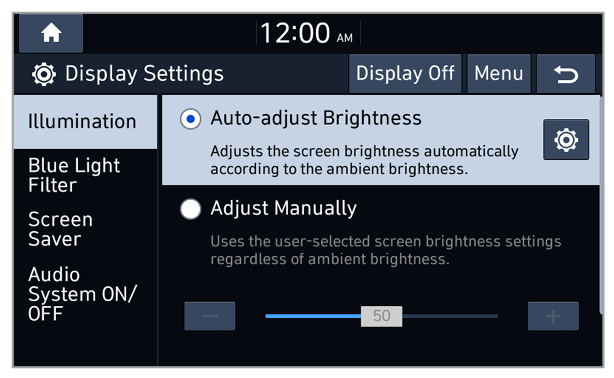
Auto-adjust Brightness (if equipped)
You can set the system brightness to be switched to day mode or night mode, according to the ambient lighting conditions or the headlamp status. To adjust the screen brightness level in each mode, press

.
Adjust Manually (if equipped)
You can adjust the screen brightness manually.
Note
To restore the default settings for the brightness modes, press Reset or Center.





 .
.