Configuring the Alexa settings (if equipped)
Change settings for Alexa.
General
You can change the settings for using Alexa.
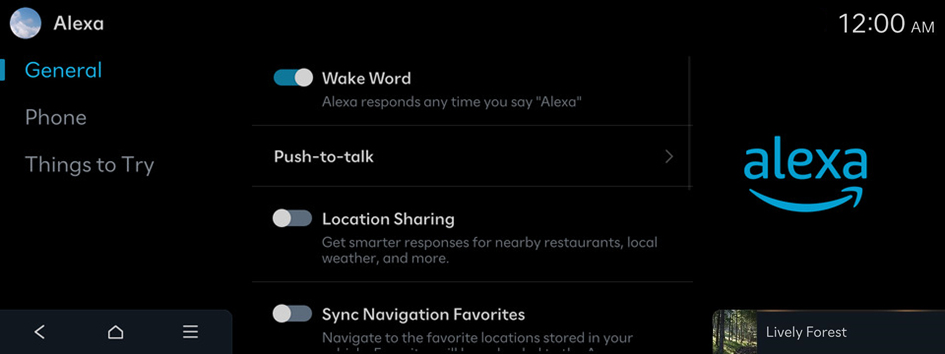
Wake Word
Alexa responds any time you say "Alexa".
Push-to-talk
Push-to-talk allows you to push the voice button on your steering wheel to start a voice interaction. Please select the voice engine you desire to pair with the voice button.
Location Sharing
Get smarter responses for nearby restaurants, local weather, and more.
Sync Navigation Favorites
Navigate to the favorite locations stored in your vehicle. Favorites will be uploaded to the Amazon cloud.
Do Not Disturb
Disables Alexa notifications.
Start of Request Sound
Plays a sound when Alexa starts listening.
End of Request Sound
Plays a sound when Alexa stops listening.
Sign Out
Alexa will no longer be available.
Phone
You can use Alexa to call and navigate to contacts' addresses from a connected phone.
Things to Try
You can see the list of voice commands for Alexa.
- To see the list of voice commands for Alexa, display the Home screen and press Setup ▶ Alexa ▶ Things to Try.


