Paying for parking fee
You can pay in advance for a parking voucher for a Hyundai Pay affiliate parking garage/lot, with your registered credit card.
- Hyundai Pay can be used only at affiliated merchants.
- To find and set an affiliated merchant close to the vehicle as the destination, press Hyundai Pay from the Home screen.
- Check parking fee information for each parking garage/lot before use. Parking fees may differ between parking garages/lots.
- On the Home screen, press Hyundai Pay.
- Select a nearby Hyundai Pay-affiliated parking garage/lot from the map screen, and press Hyundai Pay to access the payment screen.
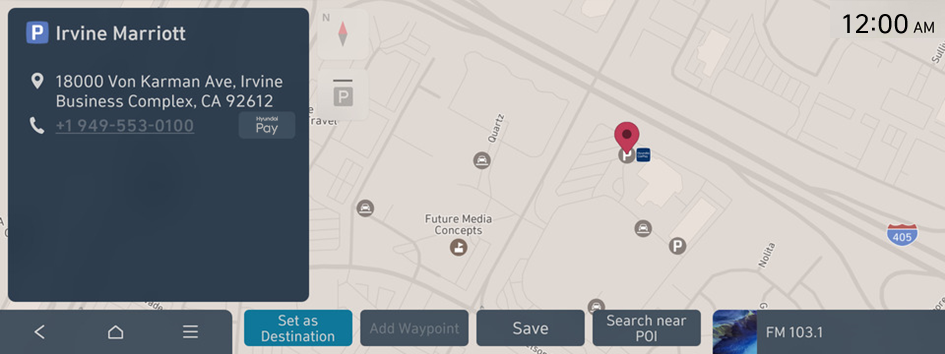
- The details of parking garages/lots displayed on the map screen may not match the actual information.
- If you turn on the POI display mode, Hyundai Pay accepting merchants are displayed on the map.
- Specify the payment card, parking start time and parking hours, and then press Pay.
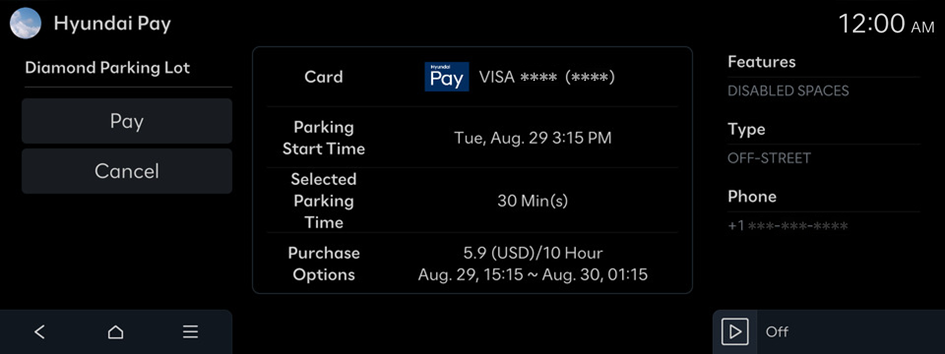
- Enter your simple password (PIN), set in the MyHyundai with Bluelink App, to complete the payment.
When the parking voucher purchase is complete, you can view the parking voucher from the MyHyundai with Bluelink.
- If an incorrect PIN is entered three times consecutively, you will be blocked from further attempts to enter PIN for a certain amount of time.


