Paying for fueling fee (if equipped)
You can pay for fueling at Hyundai Pay affiliated gas stations with your registered credit card.
- Hyundai Pay can be used only at affiliate merchants.
- To find and set an affiliated merchant close to the vehicle as the destination, press Hyundai Pay from the Home screen.
- Fueling payment assistance may not be available, depending on the vehicle EV type.
- On the Home screen, press Hyundai Pay.
- Select a nearby Hyundai Pay-affiliated gas stations from the map screen, and press Hyundai Pay to access the payment screen.
- If you turn on the POI display mode, Hyundai Pay accepting merchants are displayed on the map.
- Specify the payment card and pump number, and then press Pay.
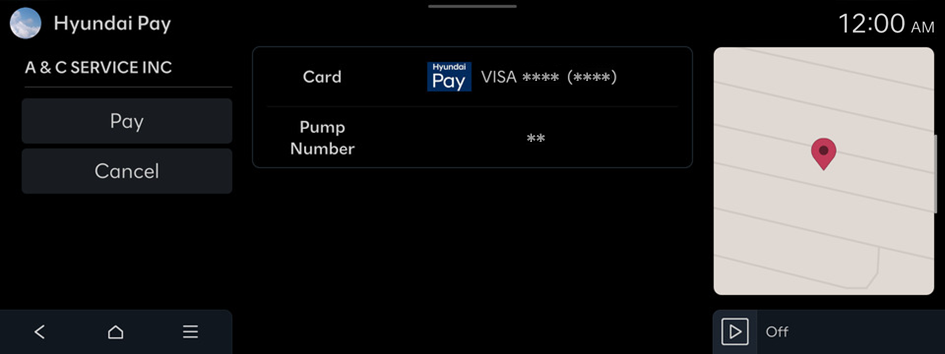
- Enter your simple password (PIN), set in the MyHyundai with Bluelink App, to complete the payment.
- If an incorrect PIN is entered three times consecutively, you will be blocked from further attempts to enter PIN for a certain amount of time.


