Configuring the layout settings
Configure settings for the display and split screens.
- Available settings may differ depending on the vehicle model and specifications.
- On the Home screen, press Settings ▶ Layout.
The screen layout settings screen appears.
- Configure the settings as required.
- Press
 on the screen or press the button on the control panel, enter a search term, and then select the item to run.
Cluster theme selection (if equipped)
Select the theme to be used in the cluster display.
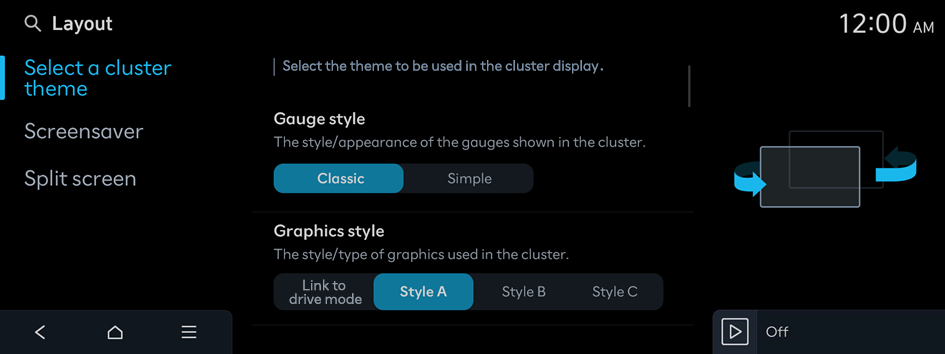
Gauge style
The style/appearance of the gauges shown in the cluster
Graphics style
The style/type of graphics used in the cluster
Screensaver
Choice of a screensaver
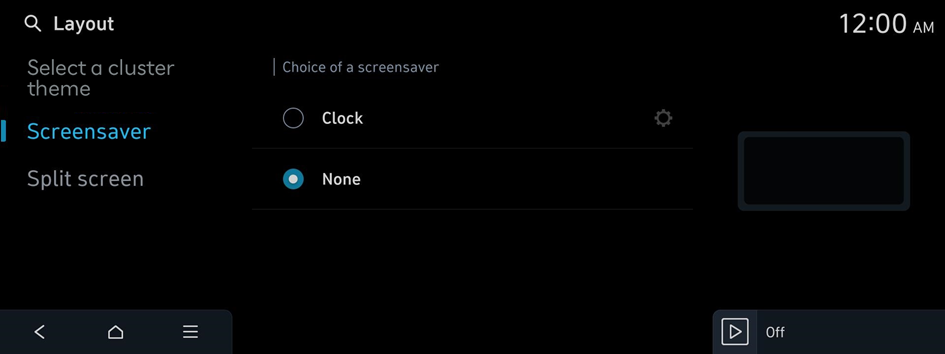
Clock
Displays the clock on the system screen saver.
- Press
 to choose the clock to show on the screen.
None
Displays nothing on the system screen saver.
Split screen
Select the split screen contents to be displayed and set the order in which they appear. [Map] is always displayed.
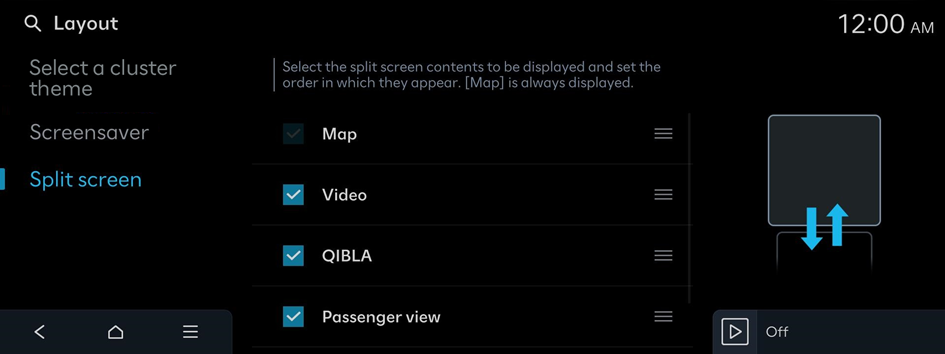
- This option is only available when the display supports split screens.
- On the screen list, press
 on the right and drag the item to reposition.


