Using In-car Payment e hi-pass
In-car Payment e hi-pass allows you to make hi-pass toll payments without your hi-pass card.
- This feature is available only in vehicles that support In-car Payment e hi-pass.
- The range of payment card issuers that support the In-car Payment e hi-pass function will increase over time.
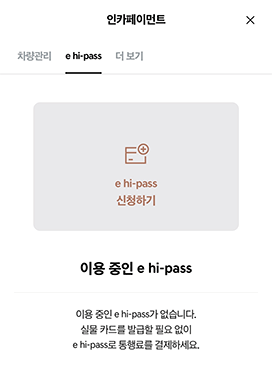
- On the myHyundai App, press 마이 ▶ 인카페이먼트 ▶ e hi-pass.
- This menu is displayed only when a vehicle that supports In-car Payment e hi-pass is registered to the Bluelink service.
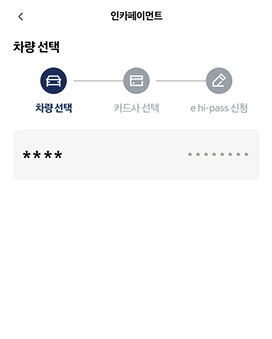
- Select the vehicle to use In-car Payment e hi-pass for.
- Vehicles that support In-car Payment e hi-pass and are registered for In-car Payment e hi-pass payments are displayed automatically.
- Select the payment card issuer to apply for In-car Payment e hi-pass with.
- Registered payment cards that support In-car Payment e hi-pass are displayed automatically.
- Enter your payment password. Once entered, the In-car Payment e hi-pass application page on the payment card issuer's website is displayed.
- In-car Payment e hi-pass in the vehicle once an approval message is received from the payment card issuer.
- In-car Payment e hi-pass user information can be viewed in the In-car Payment App.
- If you share a vehicle via Bluelink, you can apply for and use In-car Payment e hi-pass under your name as a vehicle-sharing user, even if you are not the owner of the vehicle.


