Adjusting a seat (if equipped)
Adjust the positions and other settings for seats.
On the Home screen, press Seats.
- To view the online manual, press
 ▶ Online Manual, and scan the QR code with your mobile phone.
 - To display the seat settings screen, press ▶ Seat Settings.
- While driving, it is not possible to adjust and save a seat position or load a saved seat position. First, stop the vehicle, and then change a seat position.
Memory Seat Configurations (if equipped)
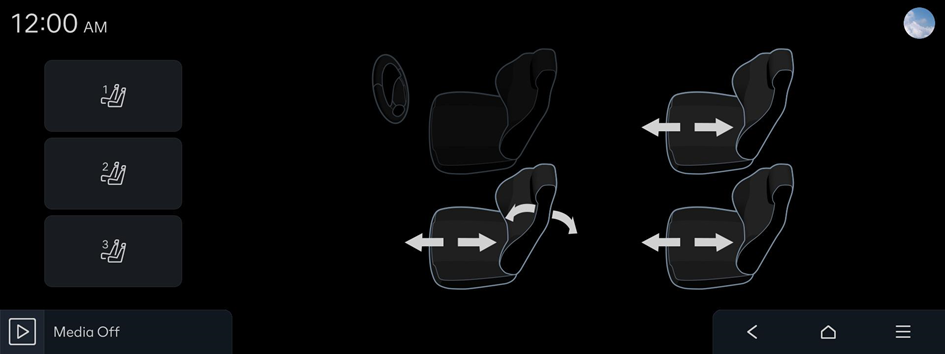
Saving a seat position
- Select the item to adjust and use the arrows shown in the seat image to adjust the settings.
- Press and hold the desired button to save the positions of all seats.
- Up to three seat position modes can be saved.
- Seats can be moved to a saved position by selecting a saved mode.


