Using the fuel cell electric vehicle menu (FCEV only)
View driving information and energy information, and use various FCEV-specific features.
On the Home screen, press FCEV.
Fuel cell electric vehicle (FCEV) screen
The Fuel cell electric vehicle (FCEV) screen provides the following features and information:
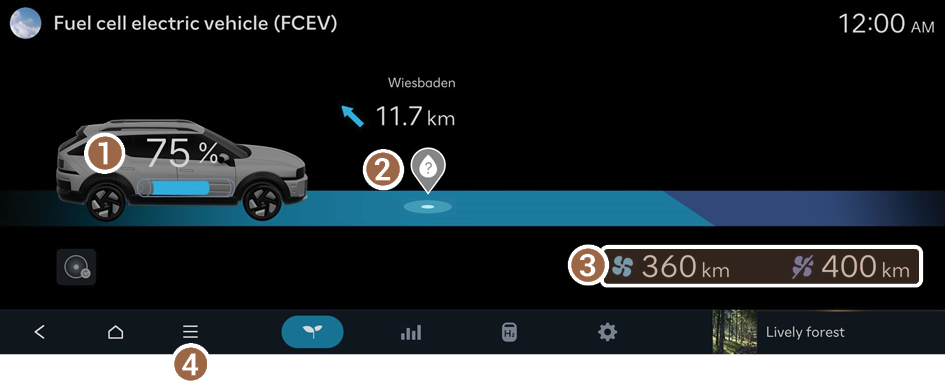
- View the current hydrogen tank level.
- Can search for nearby charging stations.
- The details of charging stations displayed on the map screen may not match the actual information.
- View the distance to empty for the current climate control settings.
- The details of drivable range displayed on the map screen may not match the actual information.
- Displays the list of menus.
- • Hydrogen stations: You can search for nearby charging stations.
- • Online manual: View the online manual by scanning the QR code with your mobile phone.
Searching for nearby charging stations
If the distance to the set destination exceeds the drivable range, you can use the function that guides you along a route with charging stations within the drivable range.
- Depending on the third-party service provider, basic information or status information on some charging stations may differ.
- Perform any of the following methods:
- • On the Fuel cell electric vehicle (FCEV) screen, press the Hydrogen station icon.
- • On the Home screen, press Map ▶
 ▶ Nearby info ▶ Nearby POI ▶ Hydrogen stations.
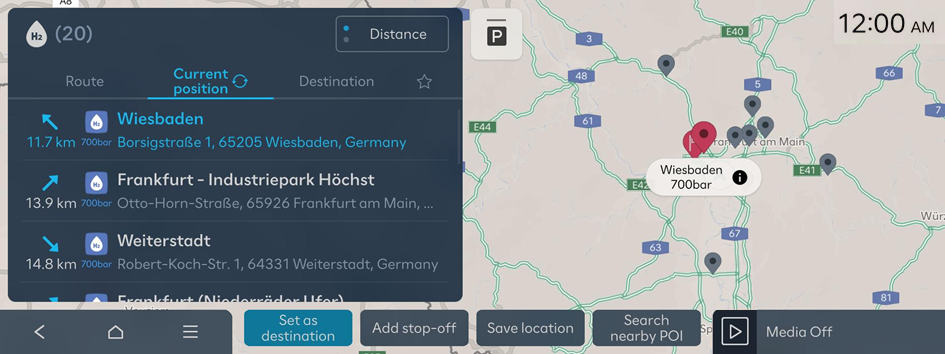
- Specify the range of search from the left of the screen, and then select a charging station from the right.
- To view specific charging stations only, press the
 and select a charging speed and operating organised.
 - If you press
 at the top of the screen, the locations of the charging stations and/or parking garages/lots on the Map screen are displayed as icons.
- To view specific charging stations only, press the
- Check the location of the destination and then press Set as destination.
Energy flows screen
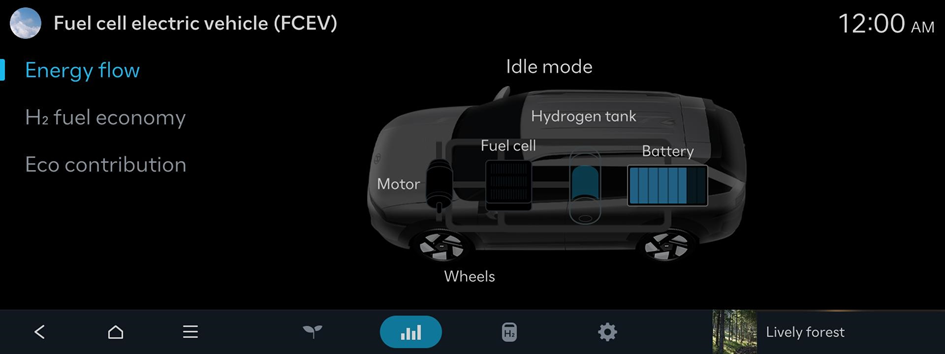
Energy flows | Description |
|---|---|
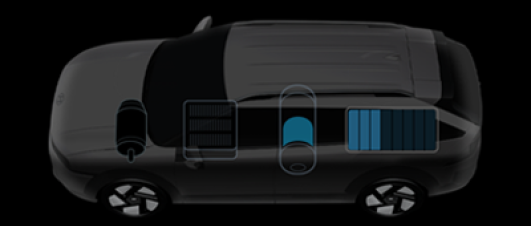 | Idle mode |
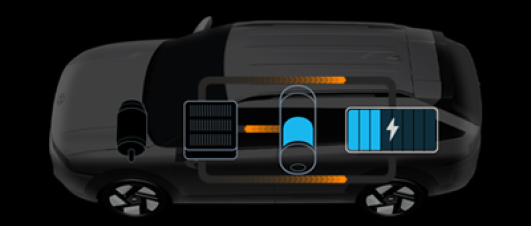 | Charging in idle mode |
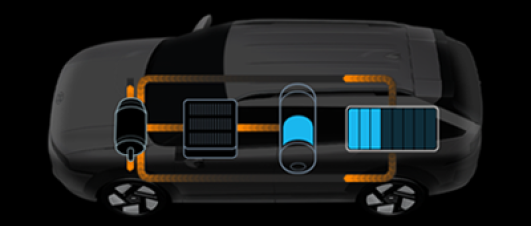 | Fuel cell + battery assistance |
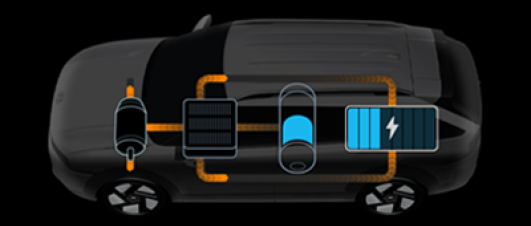 | Charging while driving |
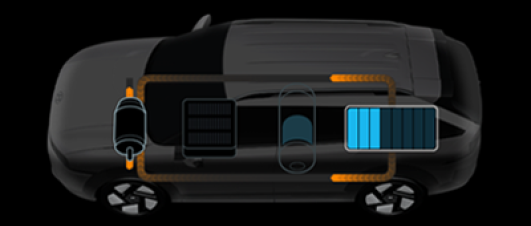 | Battery mode |
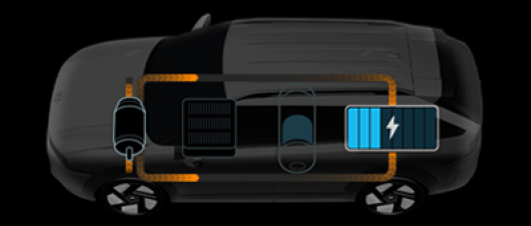 | Recuperation |
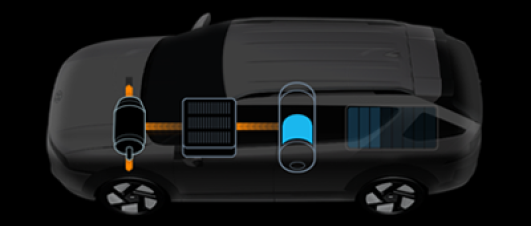 | Fuel cell mode |
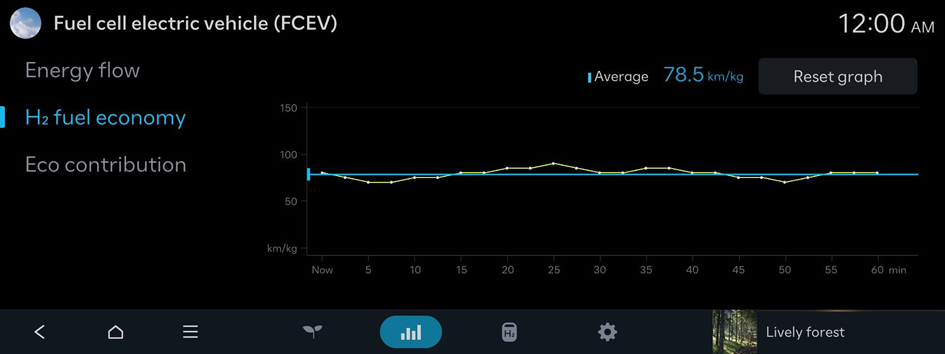
Hydrogen Fuel Efficiency screen
View the screen that shows your FCEV's hydrogen fuel efficiency.
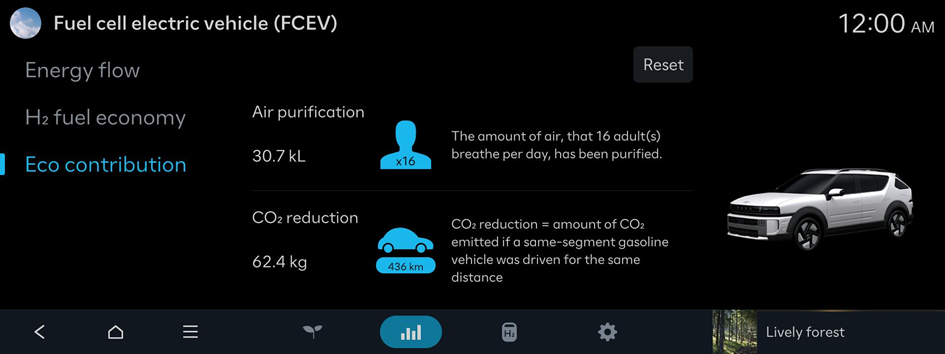
Environmental Contribution Level screen
View the screen that shows your FCEV's environmental contribution level.
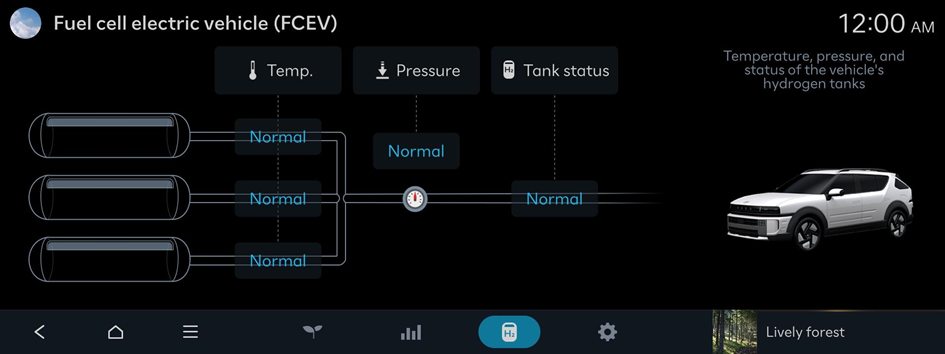
Hydrogen tank screen
Temperature, pressure, and status of the vehicle's hydrogen tanks
Configuring the Fuel cell electric vehicle (FCEV) settings
Configure settings for the user convenience features available in your FCEV.
- Available settings may differ depending on the vehicle model and specifications.
Utility mode
Utility mode uses the high-voltage battery to power electronic devices, such as the infotainment system, climate control or interior lights, when parked for a long time or while camping.
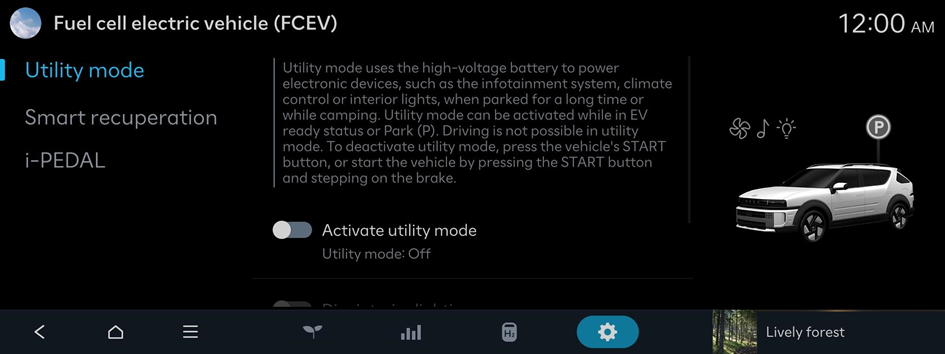
- To deactivate utility mode, press the vehicle's START button, or start the vehicle by pressing the START button and stepping on the brake.
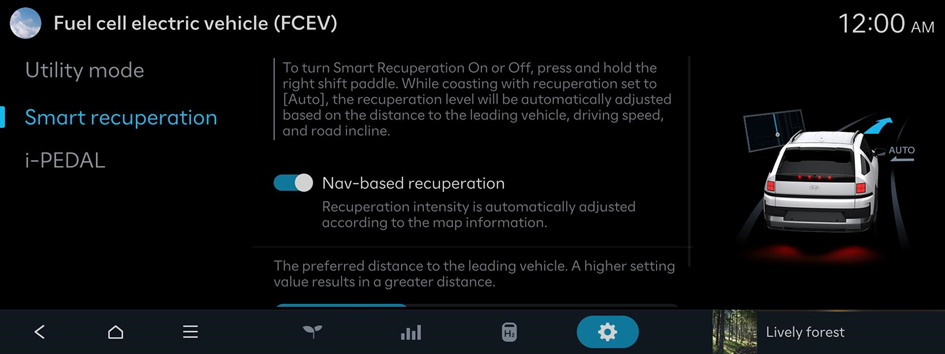
Smart recuperation
To turn Smart Recuperation On or Off, press and hold the right shift paddle. While coasting with recuperation set to [Auto], the recuperation level will be automatically adjusted based on the distance to the leading vehicle, driving speed, and road incline.
i-PEDAL (if equipped)
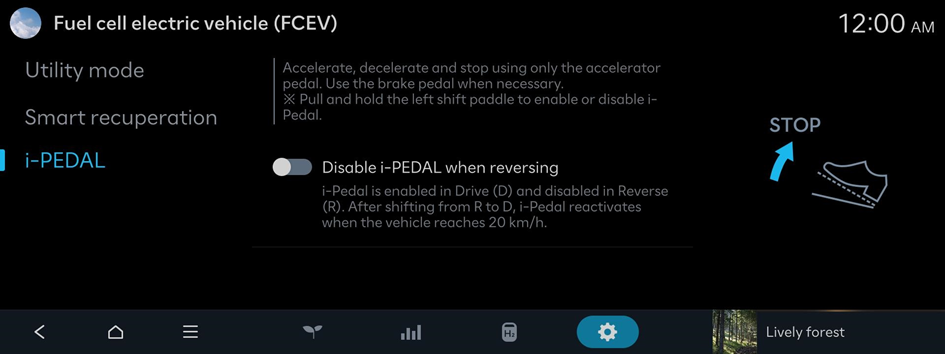
Accelerate, decelerate and stop using only the accelerator pedal. Use the brake pedal when necessary.