Configuring the screen layout settings
You can configure the settings for the display and themes.
- On the All menus screen, press Settings ▶ Layout.
The screen layout settings screen appears.
- Configure the settings required:
- Press
 ▶ Search for settings or press
  and enter a keyword to search for a setting item. You can also search for a setting item by voice.
 - If you press Display Off at the top of the screen, the screen is switched off. To switch the screen back on, press anywhere on the screen or briefly press the power button.
Screensaver
You can select the items to display on the screen saver in standby mode.
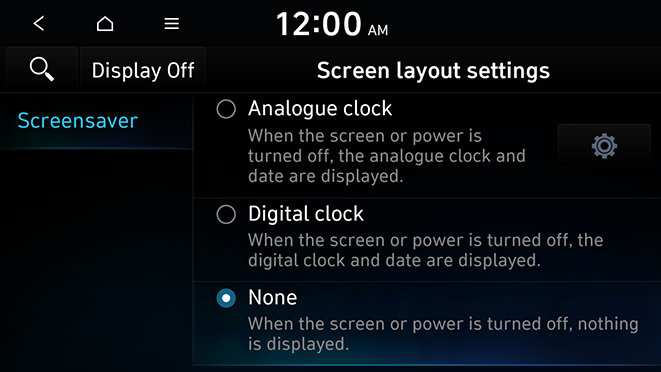
- The screen may differ depending on the vehicle model and specifications.
Analogue clock
Displays the analog clock on the system screen saver.
- Press
 to choose the Analog Clock to show on the screen.
Digital clock
Displays the digital clock on the system screen saver.
None
Displays nothing on the system screen saver.


