Using the Home screen
The Home screen is the basic screen provided by the system and displays the current time and other basic information.
Home screen
The Home screen layout is as follows:
- To return to the Home screen from other screens, press
 .
.

- Displays the specified user profile image.To display the user profile settings screen, press the user image or name.
- Current time. Depending on vehicle model and specifications, time and date display may vary.
Editing the icons on the Home screen
You can see the icon list on the All screen and change the locations for icons.
- At the upper left of the Home screen, press
 ▶ Edit Home Icons.
 - To change the location of an icon, press and hold, and drag the icon to the desired position.
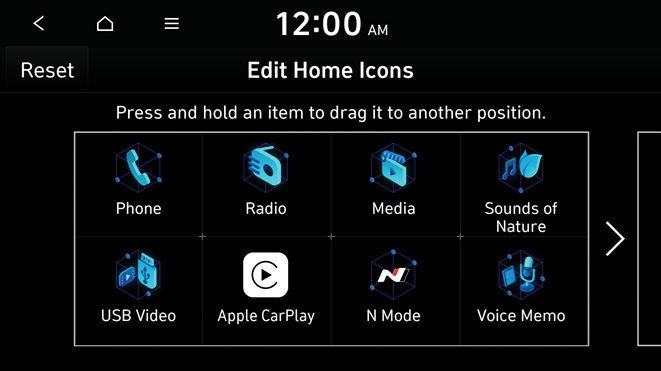
- To initialize the positions of icons, press Reset.


