Configuring the vehicle settings (if equipped)
You can configure the functions for driving and related environments.

Warning
Make sure you stop the vehicle before changing settings to ensure safety.
- Vehicle settings can be changed only when the vehicle is on.
- Available settings may differ depending on the vehicle model and specifications.
- Depending on the climate control system, some functions may not be supported.
- On the All Menus screen, press Setup ▶ Vehicle.
The vehicle settings screen appears.
- Configure the settings required:
- Press
 ▶ Search for Settings or press
  and enter a keyword to search for a setting item. You can also search for a setting item by voice.
Driver Assistance (if equipped)
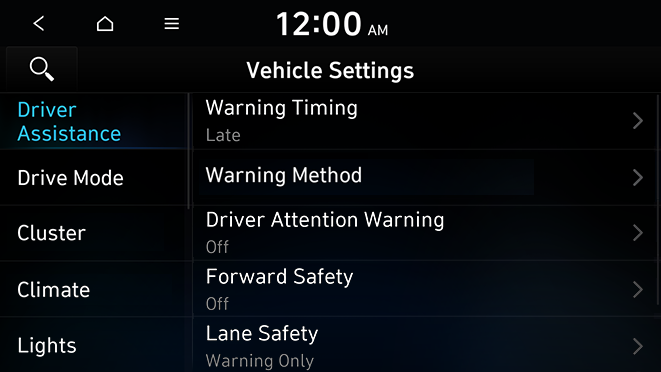
You can set to use various systems that assist the driver for safety.
Warning
- • Be sure to always check the road conditions while driving. The Driver Assistance system helps you drive safely and conveniently. Relying solely on the function may cause violation of traffic rules and regulations, resulting in an accident.
- • Be sure to control the vehicle by your judgment and keep traffic regulations for safety. When the function is active, drive the vehicle with keeping eyes forward and checking the surroundings.
- • Not all warnings or functions are necessary when they are active, and they do not replace the driver discretion under any circumstances. Stay focused on the road while driving.

Caution
Be sure to always check the vehicle surroundings while driving. The equipped cameras and sensors may not operate properly under all driving conditions.
Warning Timing (if equipped)
Sets the timing of the warning.
Warning Method (if equipped)
Sets the volume and priority of the warning sound for driver assistance. You can configure the haptic warning settings if steering wheel vibration warning is supported.
- • Warning Volume: Sets the volume of the warning sound.
- • Haptic Warning: Sets the intensity of the steering wheel vibration warning.
- • Lane Safety Audible Warning Off: Turns off the Lane Safety Audible Warning, even when both warning volume and haptic warning are on.
- • Driving Safety Priority: When warning sound is generated while driving, the audio volume decreases to make the sound audible.
- • Parking Safety Priority: When warning sound is generated while parking, the audio volume decreases to make the sound audible.
Driver Attention Warning (if equipped)
Sets the properties of the Driver Attention Warning system.
- • Leading Vehicle Departure Alert: Alerts the driver during a stop, when the leading vehicle departs.
Warning
Be sure to always check the road conditions ahead or surroundings before departure. An accident caused by distracted driving can be prevented.
- • Inattentive Driving Warning: Provides a warning when signs of driver inattentiveness are detected, and recommends a rest if needed.
- • Safety Notice Call: When abnormal driving is detected, a Connected Services Center representative will call to check on your safety.
Forward Safety (if equipped)
Sets the properties of the Forward Safety system.
- • Driving Safety Auto Off in N mode: If N Mode is turned on, the forward safe function automatically turns off.
- • Active Assist: Provides a warning and vehicle control when a risk of forward collision is detected.
Warning
This function is only a supplemental function and it is not intended to, nor does it replace the need for extreme care and attention of the driver. The sensing range and objects detectable by the sensors are limited. Pay attention to the road conditions at all times.
- • Warning Only: Provides a warning when a risk of forward collision is detected.
- • Off: Disables the Forward Safety functions.
Lane Safety (if equipped)
Sets the properties of the Lane Safety system.
- • Assist: Automatically assists with steering to help prevent the vehicle from leaving the lane.
Warning
Lane Keeping Assist is a supplementary function for safe driving and does not replace driving. It is the responsibility of the driver to always be aware of the surroundings and steer the vehicle.
- When the lanes are not recognized well by front view camera, always check the surroundings because Lane Keeping Assist may not work properly.
- • Warning Only: Provides a warning when the vehicle leaves the lane without operating the turn signal switch.
- • Off: Disables the Lane Safety functions.
Parking Safety (if equipped)
Sets the properties of the Parking Safety systems.
- • Camera Settings: Sets the properties of the cameras (if equipped).
- Display Settings: Adjust the brightness and contrast of the rear view screen. To reset all rear view screen settings, press Reset.
- • Rear Cross-Traffic Safety: Provides a warning when a risk of rear cross-traffic collision is detected while reversing. It provides vehicle control to avoid collision, depending on the vehicle model and specifications.
Warning
- • Even though the vehicle is equipped the Parking Safety system, be sure to check any obstacles in the surroundings while driving. Relying on the Parking Safety system may cause an accident. Accordingly, be sure to control the vehicle by your judgment.
- • When the sensors cannot detect any obstacles due to the detectoi n limit, it may cause an accident. Be sure to always check the surroundings while parking.
Drive Mode (if equipped)
You can change the vehicle settings for driving conditions.
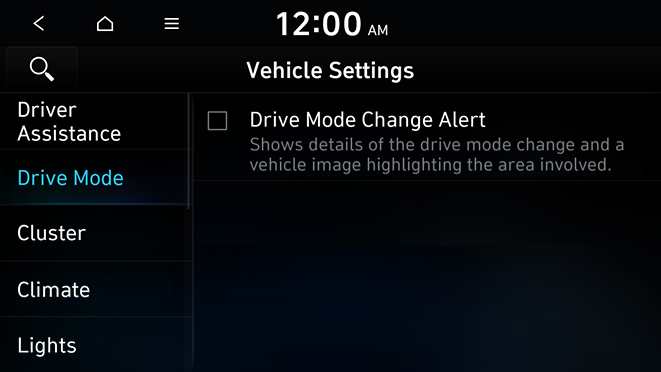
Drive Mode Change Alert (if equipped)
Configure the setting so that drive mode change notification is displayed along with the vehicle image when the drive mode is changed.
Cluster (if equipped)
You can set the data to display on the instrument cluster and the volume and type for guiding beep.
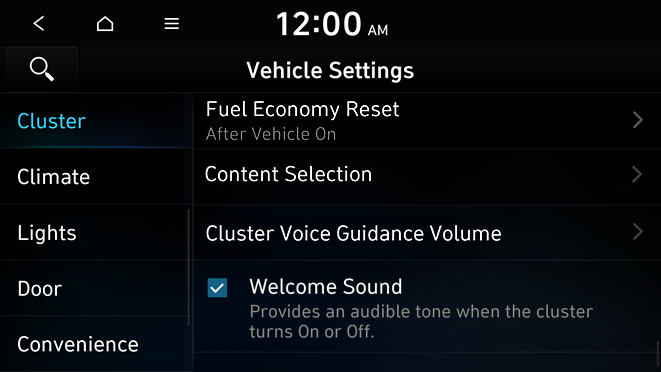
Fuel Economy Reset (if equipped)
You can set to automatically initialize the average fuel economy.
- • After Vehicle On: The average fuel economy is automatically initialize whenever you drive the vehicle.
- • After refueling: The average fuel economy is automatically initialize whenever you refuel the vehicle.
- • Off: The average fuel economy initialize is unavailable.
Content Selection (if equipped)
You can set the content to display on the instrument cluster.
- • Gear Position Pop-up: When the gear is shifted, the information pop-up appears.
- • Wiper/Lights Display: When the wiper or light lever operates, the operation mode appears.
Cluster Voice Guidance Volume (if equipped)
You can adjust the voice guidance volume of the cluster.
Welcome Sound (if equipped)
You can set to generate the notification sound when turning on or off the instrument cluster.
Climate (if equipped)
You can configure the operation environment for climate control system.
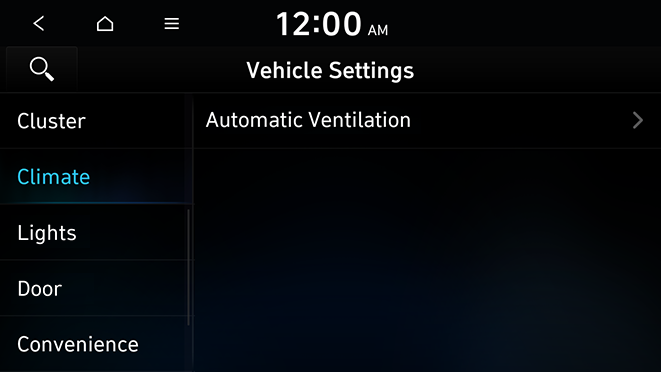
Automatic Ventilation (if equipped)
You can set to prevent condensation inside and keep inside air pleasant using this feature.
- • Automatic Dehumidify: Once the inside air circulation mode has been used for a long time, it is switched to the outside air inflow mode to prevent condensation.
Lights (if equipped)
You can configure the settings for vehicle lights.
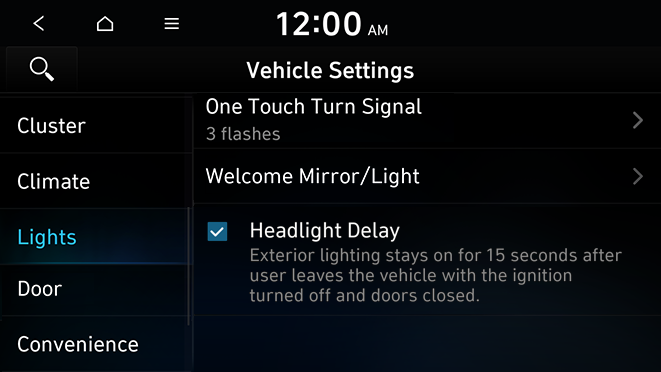
One Touch Turn Signal (if equipped)
You can set the number of turn signal lamp flashes when the lamp lever is operated.
Welcome Mirror/Light (if equipped)
The welcome function is activated when the driver with the smart key moves closer to the vehicle or the doors are unlocked.
Headlight Delay (if equipped)
You can set to turn off the taillights and headlights in 15 seconds after turning off the vehicle to ensure visibility.
Door (if equipped)
You can configure the operation environment for the trunk (liftgate) and doors.
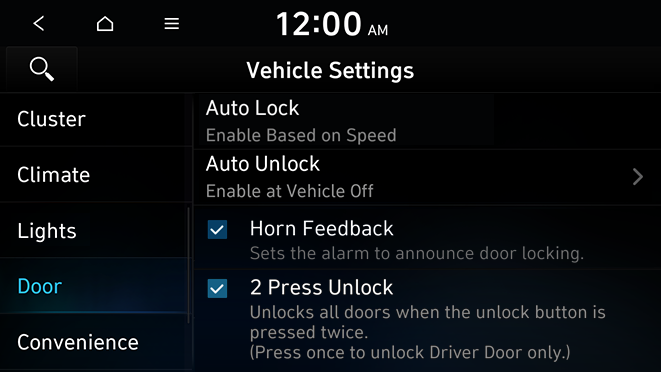
Auto Lock (if equipped)
You can set the time to automatically lock all doors.
Auto Unlock (if equipped)
You can set the time to automatically unlock all doors.
Horn Feedback (if equipped)
You can set to generate guiding beep when all doors are locked.
2 Press Unlock (if equipped)
You can set to unlock all doors by pressing the door unlock button twice.
- When you press the door unlock button once, only the driver's seat door is unlocked.
Convenience (if equipped)
You can configure the features for convenience.
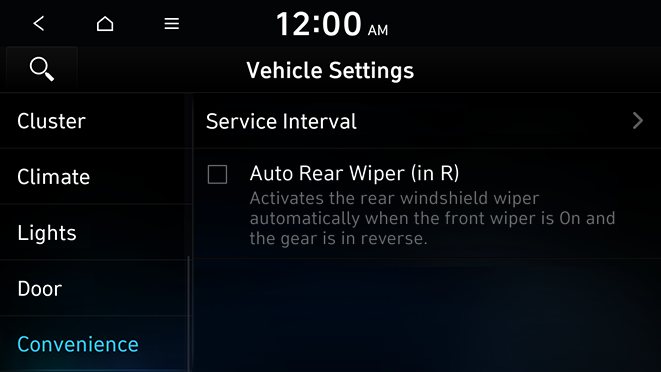
Service Interval (if equipped)
You can set to guide you when to perform the vehicle inspection.
- • Enable Service Interval: Sets the service inspection interval. When it exceeds, the notification is provided.
- • Distance: Sets the driving distance for a service.
- • Duration: Sets the service cycle.
- • Reset: Initializes the settings for distance and duration.
Auto Rear Wiper (in R) (if equipped)
Activates the rear windshield wiper automatically when the front wiper is On and the gear is in reverse.


