Before using Bluelink® (If equipped)
What is Bluelink?
This is a telematics service based on our cutting-edge IT system that makes your driving experience more convenient and fun and features safety, security, vehicle diagnostics, remote control and even smartphone synchronization functions.
Enjoy a smarter driving style with Bluelink.
What is Telematics?
The word “Telematics” stems from the combination of telecommunications and informatics. It refers to an information system that provides a variety of driving information through the built-in terminal by analyzing each symptom and driving state. This allows for a much safer and more comfortable driving experience.
About Transmission and Reception of Radio Waves
Connection to the Bluelink Center or wireless data transmission may be disrupted in the following places.
For radio wave transmission/reception status, refer to the status displayed on the Bluelink screen.
It is recommended that you use the Bluelink system when the antenna icon ( ) shows four bars or more.
Places where Bluelink may be disrupted depending on the transmission/reception status:
- Inside tunnels
- Mountainous areas or dense forest
- Roads close to cliff edges
- Densely built-up areas
- On highways or roads underneath higher interchange roads
- Inside buildings
Using Bluelink Services
Getting Started with Bluelink®
Use Bluelink features such as Calendar, Weather, Vehicle diagnostics and Bluelink settings. Bluelink features can be used after activating the service. A separate fee may be charged for using Bluelink, and features may differ according to your service plan.
- Press [Bluelink] on the Home screen.
- Select the desired item.
|
|
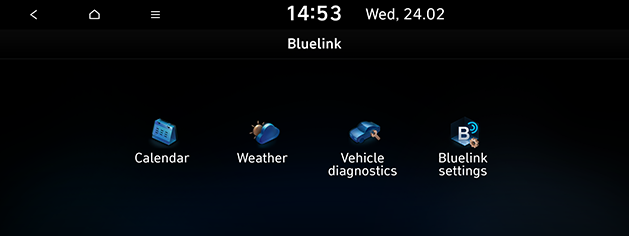
- [Calendar]: Checks the planned schedule.
- [Weather]: Displays weather information and forecast for six days, and displays weather information of current location, waypoint and destination.
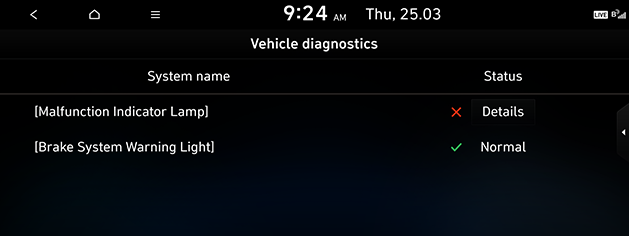
- [Vehicle diagnostics]: Inspects vehicle malfunctions and provides diagnostics.
- [Bluelink settings]: Displays Activate service, Modem information, Verification code, Bluelink activation help, Offline mode, Terms of use, Privacy notice, Deactivate Bluelink.
Interior light button
Selecting the Interior light button will allow you to make service required inquiries, place info searches, and emergency rescues by connecting to the Blue Link center. Such features can be used only after subscribing to the Blue Link service.
|
Location |
Details |
|
|
SOS button Calls or ends SOS call. |

Bluelink® Voice Local Search
What is Bluelink® Voice Local Search?
With the Bluelink network service, you can search for TomTom-provided place names with your voice.
Bluelink Voice local search searches place name searches through network services, it is only available when connected to a communication network.
Starting Bluelink® Voice Local Search
- Press the [
 ] on the steering wheel remote control.
 - Say "Search address", or "Find POI". It goes to the Bluelink Voice Local Search screen.
|
|
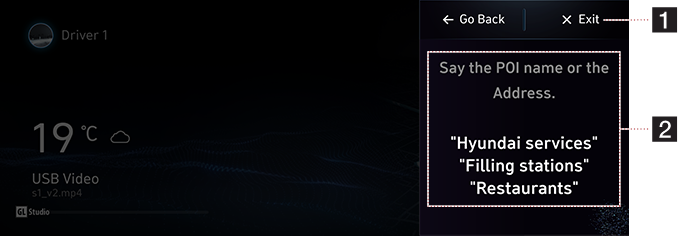
1 End button
Ends Bluelink Voice Local Search.
2 Example command
Shows an example to ask for a place search.
|
,Note |
|
This function will not be supported in other languages than English. If the current language does not support this function, change the system language to one of those languages. |
Calendar
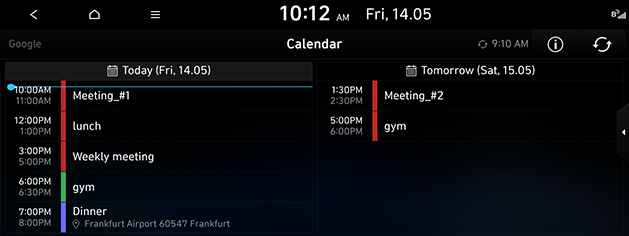
Through the Bluelink smartphone app, it proceeds with linking with calendar (Google, iCloud) that customer uses first.
Press [ ] > [Bluelink] > [Calendar].
|
|
Searching Destination
If there is place information in the schedule details screen, the place information is searched by navigation when the user selects the search destination button.
|
|
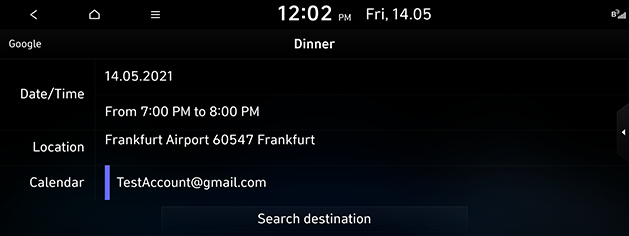
Event Notification
The schedule notification pop-up is provided according to the pre-populated notification time setting.
|
|
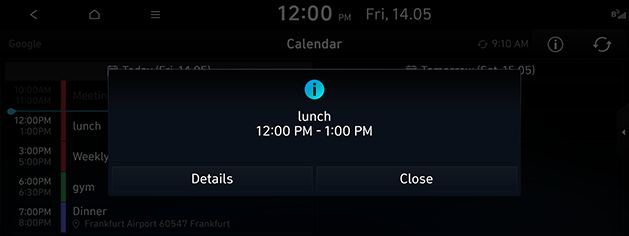
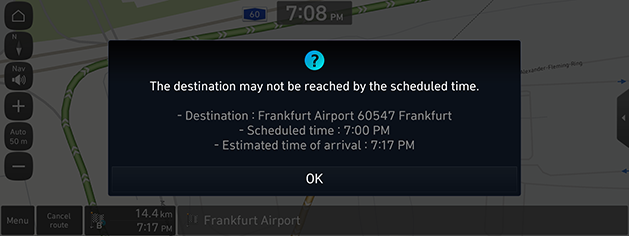
Calendar event
When setting a destination and navigating a route, the estimated arrival time is later than the appointment time information, a guide will be provided to the user with instructions that they may be late.
|
|
Weather
This provides a weather forecast for the next 6 days including tomorrow, for the select position.
Press [ ] > [Bluelink] > [Weather].
|
|
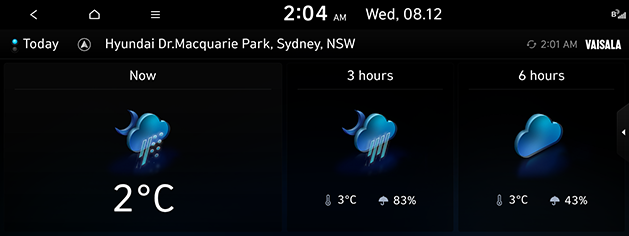
- [Today]: Display today's weather information.
- [Forecast]: Display forecast for six days.
Vehicle Diagnostics
The Vehicle diagnostics feature automatically performs diagnostics on your car when a warning light comes on the cluster panel and displays the details of the vehicle malfunction on the screen for the driver.
Press [ ] > [Bluelink] > [Vehicle diagnostics].
|
|
|
,Note |
|
If Vehicle diagnostics was unsuccessful, the diagnostics are automatically performed again when you turn on your vehicle. |
Bluelink® Settings
Service Activation (when the service is not activated)
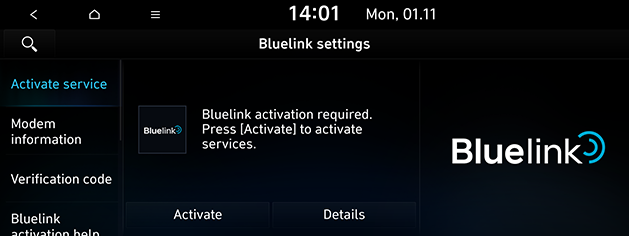
After you buy your car, you need to activate (register for) Bluelink Services to use any Bluelink Services features.
Press [ ] > [Bluelink] > [Bluelink settings] > [Activate service].
|
|
|
,Note |
|
Service Activation (when the service is expired)
If your Bluelink Services period is expired, the Bluelink Services features are not available.
Modem Information
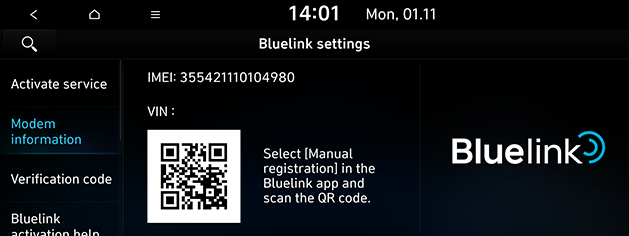
This feature is used to show the IMEI modem information.
Press [ ] > [Bluelink] > [Bluelink settings] > [Modem information].
|
|
Blue Link Services features
Bluelink® Safety and Security
Alarm Notification
In the event your vehicle’s alarm is activated, this feature will automatically notify via push message on your mobile application.
Auto Crash Notification
Provides immediate assistance when an accident occurs and an airbag is deployed.
In this event, an ACN signal, containing customer and location information, will automatically be transmitted to the response center. Upon receipt of the signal, a response specialist will attempt to establish voice communications with the vehicle occupants and forward any pertinent information to Blue Link emergency services.
|
|
SOS
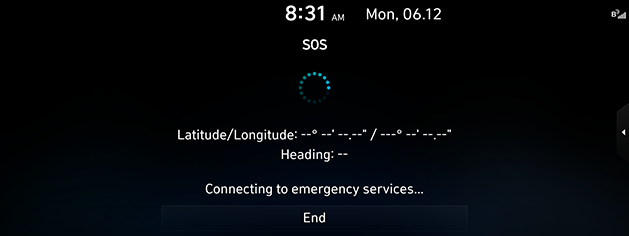
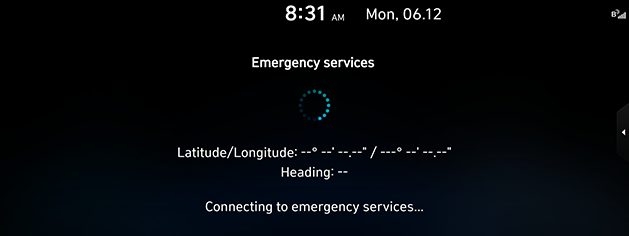
Customers request emergency Blue Link emergence services by pressing the dedicated “SOS" button in the vehicle. This action transmits vehicle information and location to specially trained response specialists, who assist in coordinating the dispatch of appropriate emergency assistance to the customer.
The response specialist remains on the line with the customer until advised assistance has arrived.
|
|