Searching for EV (Electric Vehicle) charging stations
You can search nearby charging stations.
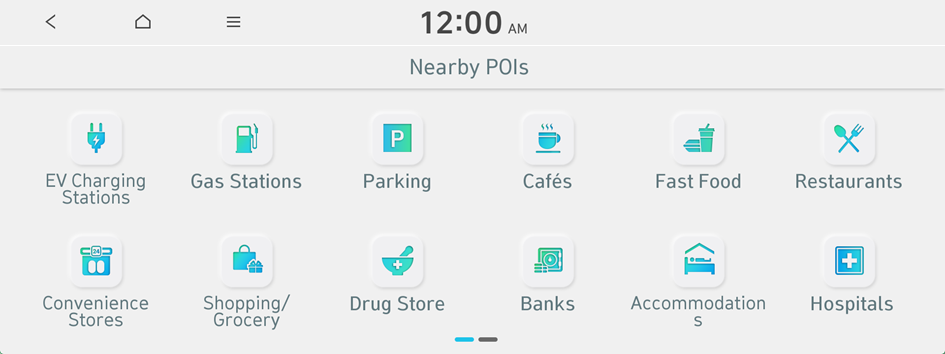
- On the Navigation Menu screen, press Nearby POIs ▶ EV Charging Stations.
- Select a destination from the search result.
- To display the result of search around a specific location, select a sort criteria from the list on the left of the screen.
- To sort the search results in a different order, press on the attribute to toggle between options.
- From the charging station search results screen, add a charging station to Favorite Stations by pressing
 .
. - From the charging station search results screen, view detailed information about a charging station by pressing
 .
.
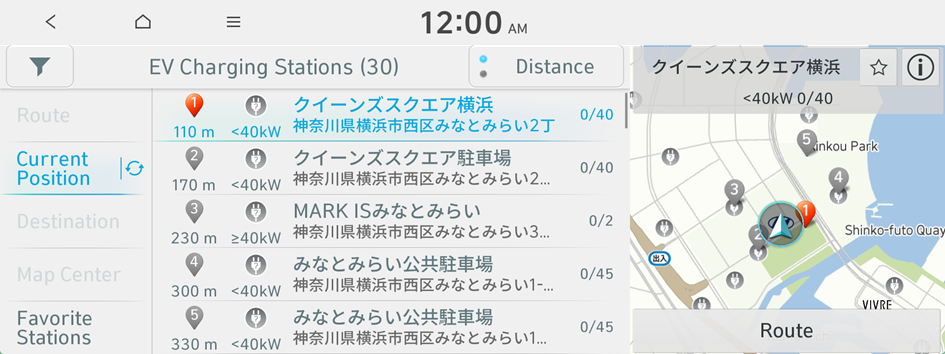
- Check the location of the destination and then press Route.
- Select a route and press Start Guidance.


