Using In-car Payment (if equipped)
The In-car Payment service allows you to conveniently make payments at affiliated stores without a physical card. To use the In-car Payment service, first subscribe to the service.
To use In-car Payment, first check the following.
- • Ensure you are subscribed to In-car Payment.
Install the Bluelink App on your smartphone, and then subscribe to the service.
- • Ensure your vehicle and credit card are registered for the payment service.
You can use the Bluelink App to register the vehicle and In-car Payment for the payment service.
- • Checking user profile settings.
Link your Bluelink service account to your user profile, and then log in with the linked profile. ▶ See "Connect Bluelink account (if equipped)."
- The In-car payment service is available only in vehicle models and at affiliated stores that support the service.
- To access the online user's manual on the In-car Payment screen, press
 ▶ Manual and then scan the displayed QR code.
Service restrictions
The In-car Payment service is provided via a mobile communication network. Accordingly, the services may be restricted depending on your mobile communication network connection. Check the network signal strength icon ( ) at the top of the screen to check the mobile communication status.
- It is recommended to use the service when there are four or more signal bars in the icon.
- Depending on the network signal status, access to In-car Payment may be restricted in the following locations:
- Inside a building or tunnel
- Mountain or forest area
- Road close to a cliff
- Area densely populated with tall buildings
- Road under expressway or multi-level road
- Communication shadow area according to the telecommunication service provider's network coverage policy
Paying for charging fee (if equipped)
At a charging station affiliated with In-car Payment, top up your balance and pay the charging fee using the registered In-car Payment.
- In-car Payment can be used only at affiliates.
- To find and set an affiliate close to the vehicle as the destination, press In-car Payment from the All Menus screen.
- On the All Menus screen, press In-car Payment.
- Move to the In-car Payment screen, using either of the following methods.
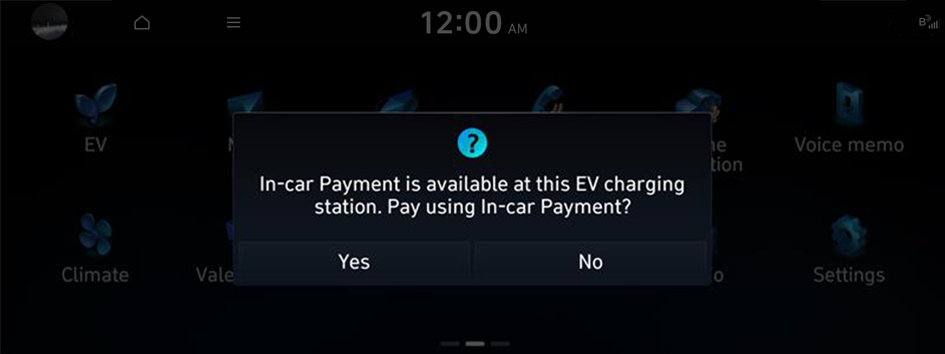
- • View a list of affiliated charging stations with details where In-car Payment can be used, and set one of the charging stations as the destination. As soon as your vehicle arrives at the selected charging station, the In-car Payment notification window appears. From the window, press Yes to access the payment screen.
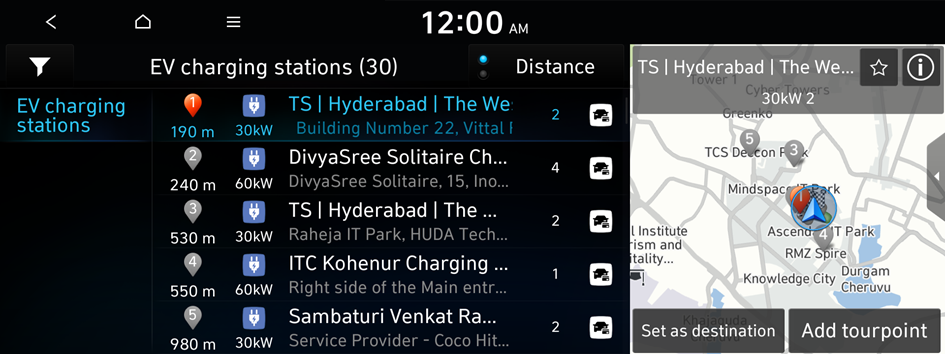
- To sort a list of search results in a different order, press the sort criteria and change to the option you want.
- • Select a nearby In-car Payment-affiliated charging station from the Map screen, and press
 to access the payment screen.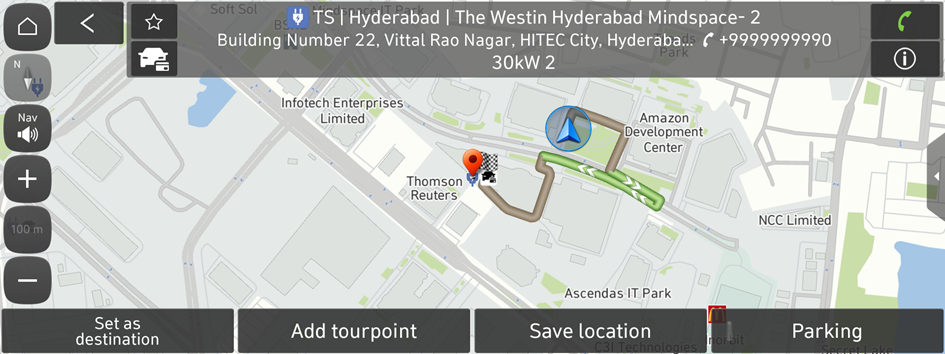
- The details about affiliated charging stations displayed on the Map screen may not match the actual information.
- If you turn on the POI display mode, In-car Payment affiliates are displayed on the map.
- • View a list of affiliated charging stations with details where In-car Payment can be used, and set one of the charging stations as the destination. As soon as your vehicle arrives at the selected charging station, the In-car Payment notification window appears. From the window, press Yes to access the payment screen.
- Select a connector and charging method, and press Pay.
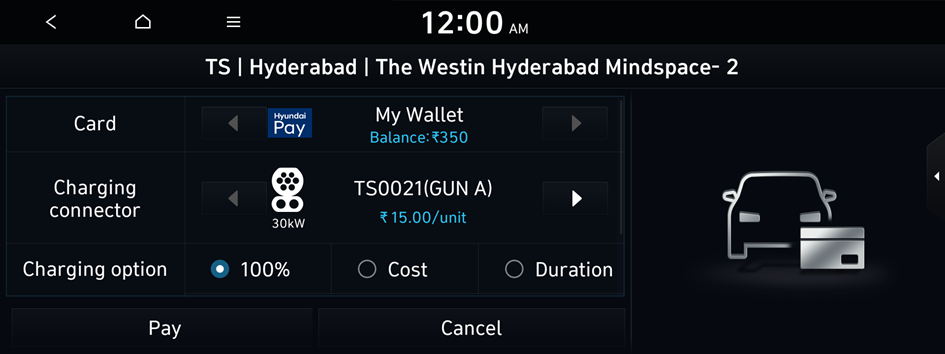
- Enter your simple password (PIN), set in the Bluelink app, to complete the payment.
- If an incorrect PIN is entered three times consecutively, you will be blocked from further attempts to enter PIN for a certain amount of time.
- After the payment is complete, start charging the vehicle using the selected connector.
- Waiting time for each connector may differ.
- Waiting time to start charging through In-car Payment may differ based on each EV Charging station.
Stop charing (if equipped)
Perform any of the following methods:
- • In case of DC charging: Once charging begins it cannot be stopped until it is completed because Charging merchants doesn’t support to stop charging.
Stop charging through EV Screen
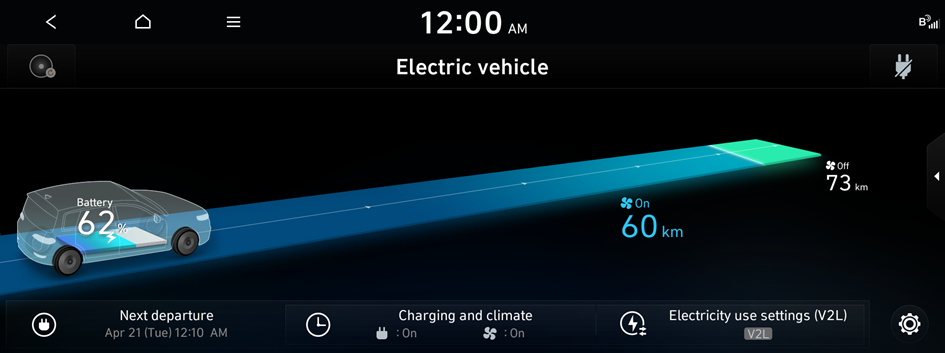
- The screen may differ depending on the vehicle model and specifications.
- • If required, reduce DC charging limit in AVNT EV settings to stop charging (not guarantee all times).
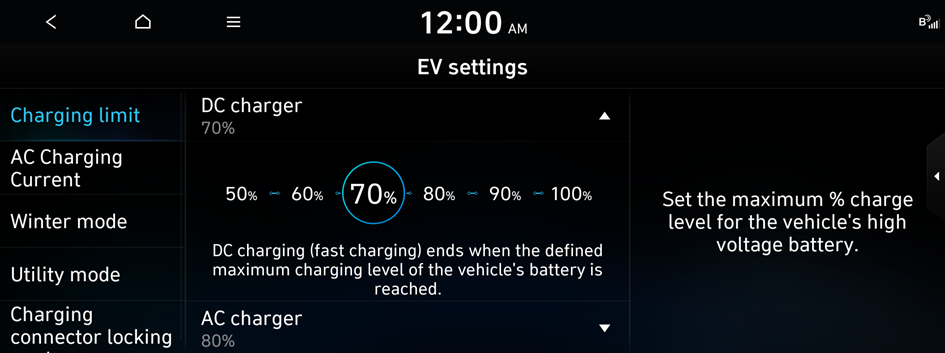
- The screen may differ depending on the vehicle model and specifications.
- • In case of AC charging: Once charging begins it cannot be stopped until it is completed because Charging merchants doesn’t support to stop charging.
Stop charging through EV Screen
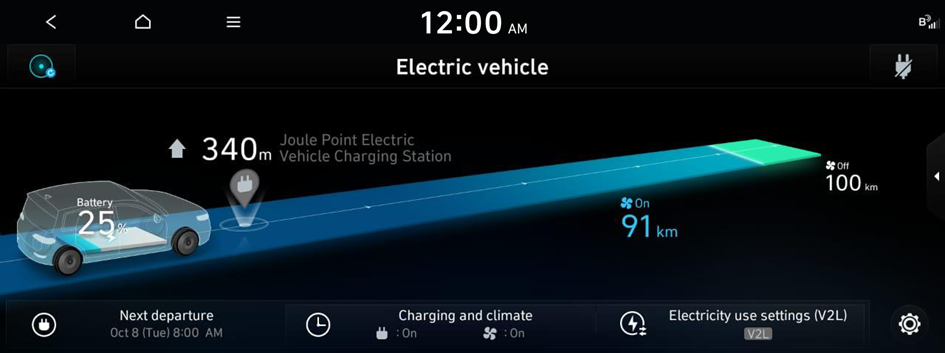
- The screen may differ depending on the vehicle model and specifications.
- • Stop Charging from Bluelink Application
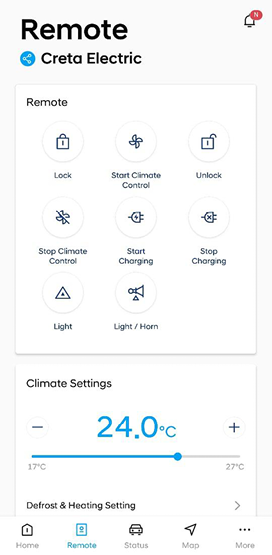
- The screen may differ depending on the vehicle model and specifications.
- • If required, reduce AC charging limit in AVNT EV settings to stop charging (not guarantee all times).
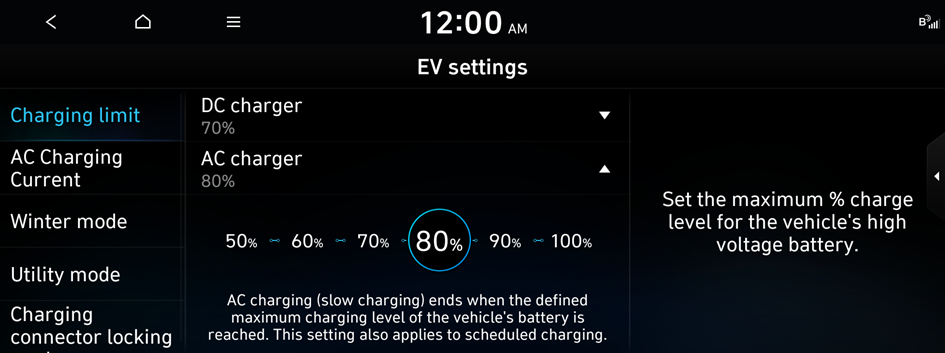
- The screen may differ depending on the vehicle model and specifications.


