FCEV (Hydrogen fuel cell vehicle)
Operating FCEV Mode
Press [FCEV] on the home screen.
|
|
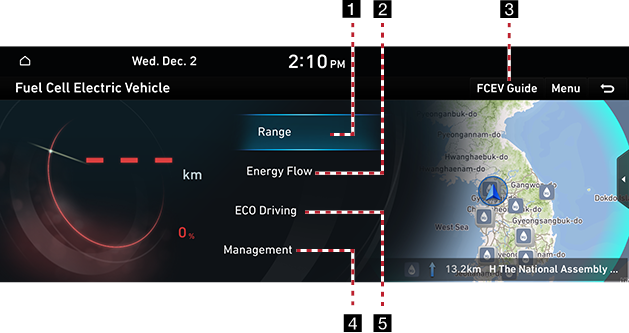
1 Range
Distance to Empty is displayed on the map.
2 Energy Flow
It displays the battery information and the flow of power transmission between each component.
3 FCEV Guide
Video shows the overall power transfer process and flow for FCEV vehicles.
4 Management
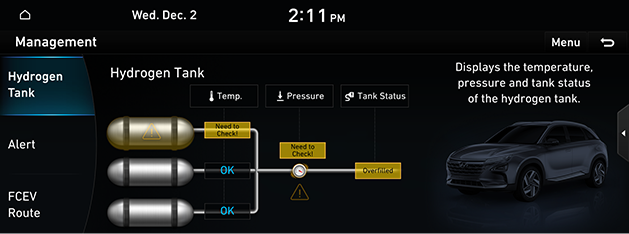
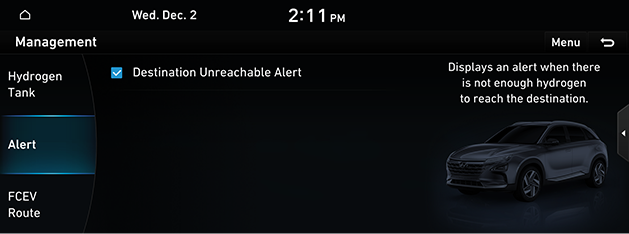
It displays the status of the hydrogen tank, warning alert, and FCEV path bar settings.
5 ECO Driving
It displays ECO level information on hydrogen mileage and contribution to environment.
Range
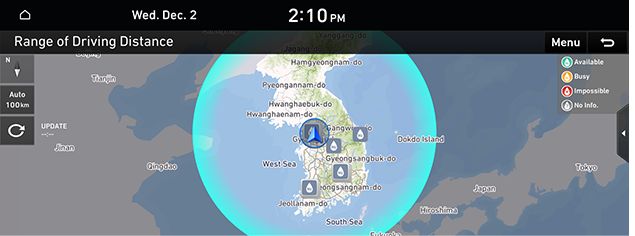
On the FCEV mode screen, press [Range].
Press the [ ] button to calculate the range of driving distance.
|
|
|
,Reference |
|
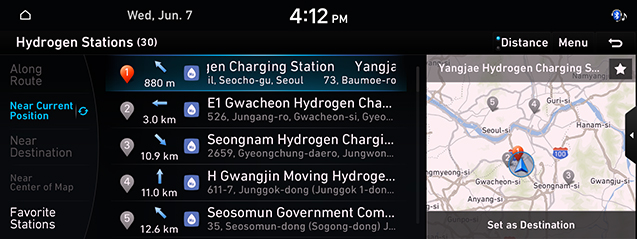
Hydrogen station
Press [Menu] > [Hydrogen Station] on the range screen.
|
|
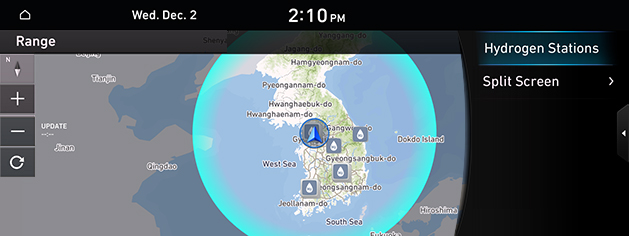
Press the [L] button to register the favorite hydrogen station.
|
|
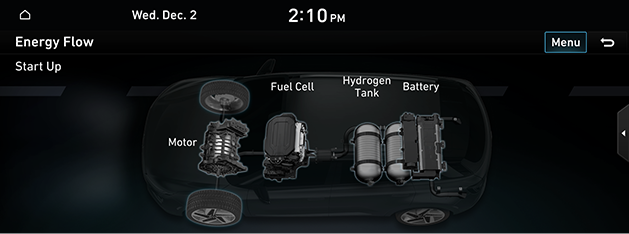
Energy Flow
It displays the Startup Mode Status of the FCEV vehicle, battery information, and the flow of power transmission between each component.
Press [Energy Flow] on the FCEV screen.
|
|
ECO Driving
H₂ Fuel Economy
It displays the ECO level information according to the driving of the vehicle as a graph.
Press [ECO Driving] > [H₂ Fuel Economy] on the FCEV screen.
|
|
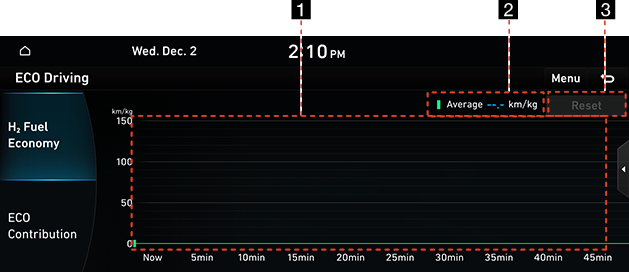
1 Fuel Efficiency(or Gas Mileage) Graph
It displays fuel efficiency information for recent driving.
2 Average Gas Mileage(km/kg)
It displays average gas mileage according to the driving of the vehicle.
3 Reset
It initializes the information of fuel efficiency graph.
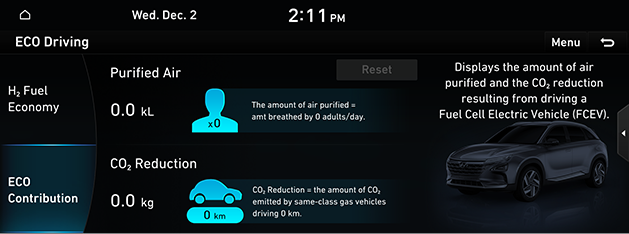
Eco Contribution
It displays the amount of purified air and CO2 reduction
Press [ECO Driving] > [Eco Contribution] on the FCEV screen.
|
|
Management
Hydrogen Tank
It displays the temperature, pressure and tank condition of the hydrogen tank during driving, and power transmission of the vehicle.
Press [Management] > [Hydrogen Tank] on the FCEV screen.
|
|
Alert
Press [Management] > [Alert] on the FCEV screen.
|
|
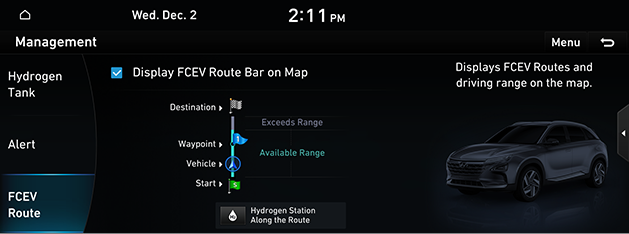
FCEV Route
Press [Management] > [FCEV Route] on the FCEV screen.
|
|